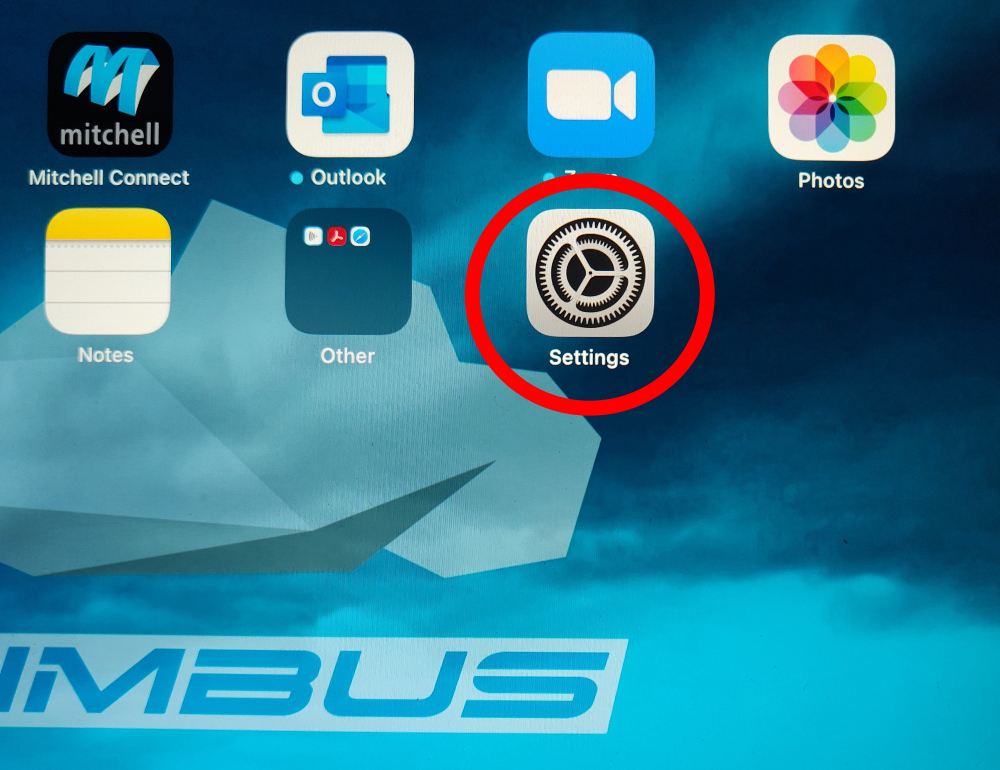
First, head into the Settings app from the main screen.
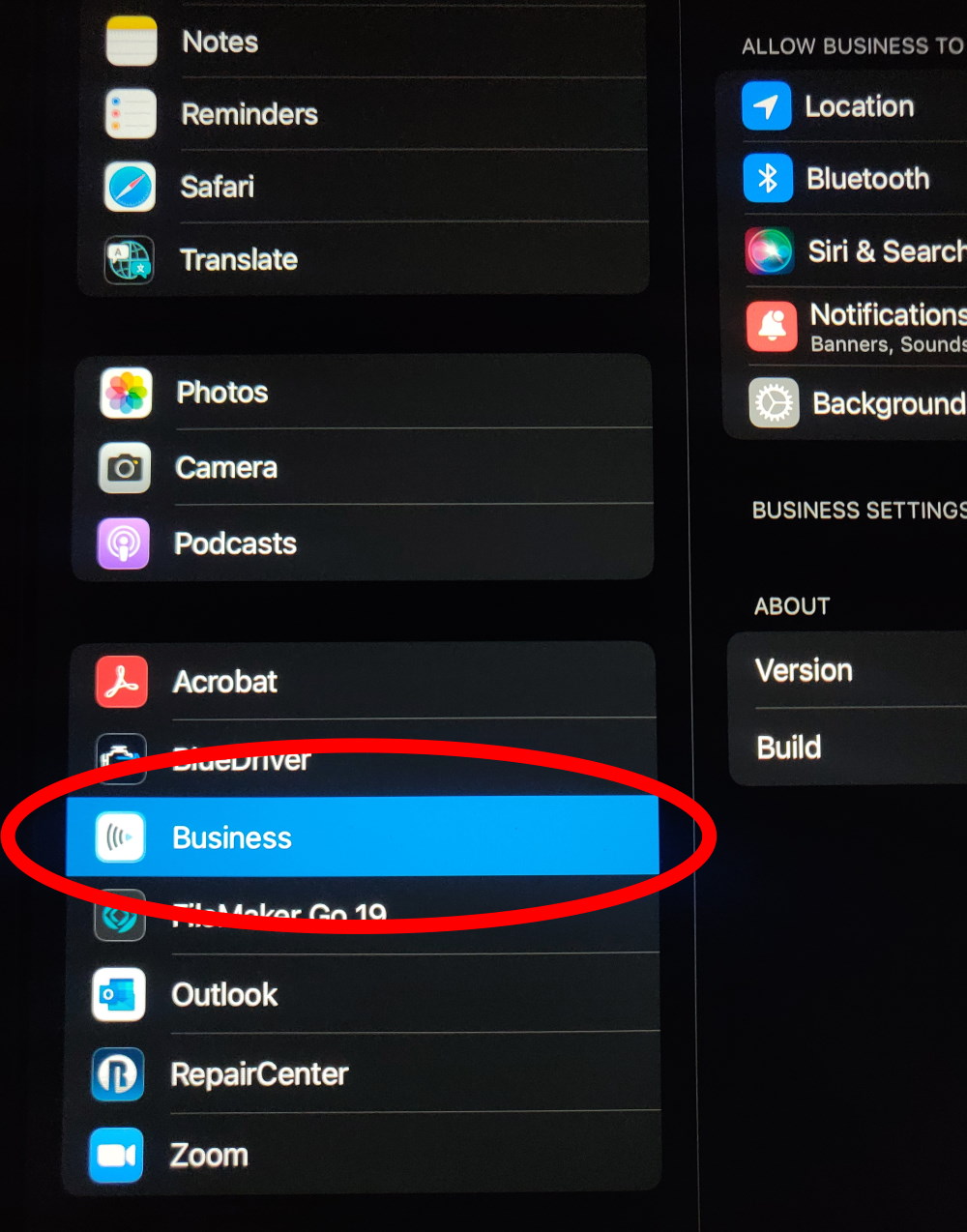
Once in there, scroll all the way down the list on the left to the Business app and tap on it.
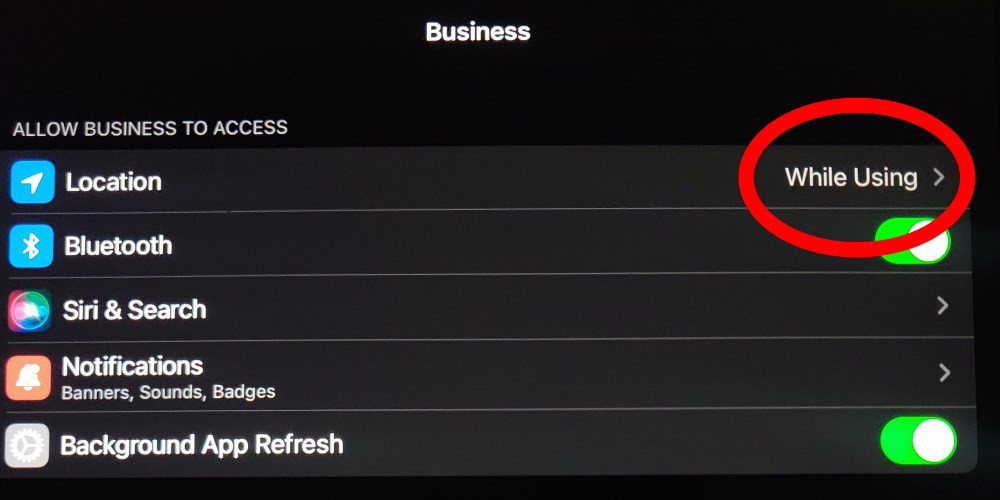
After you tap on Business, the options on the right side will change, tap on Location.
Finally, tap on Always.
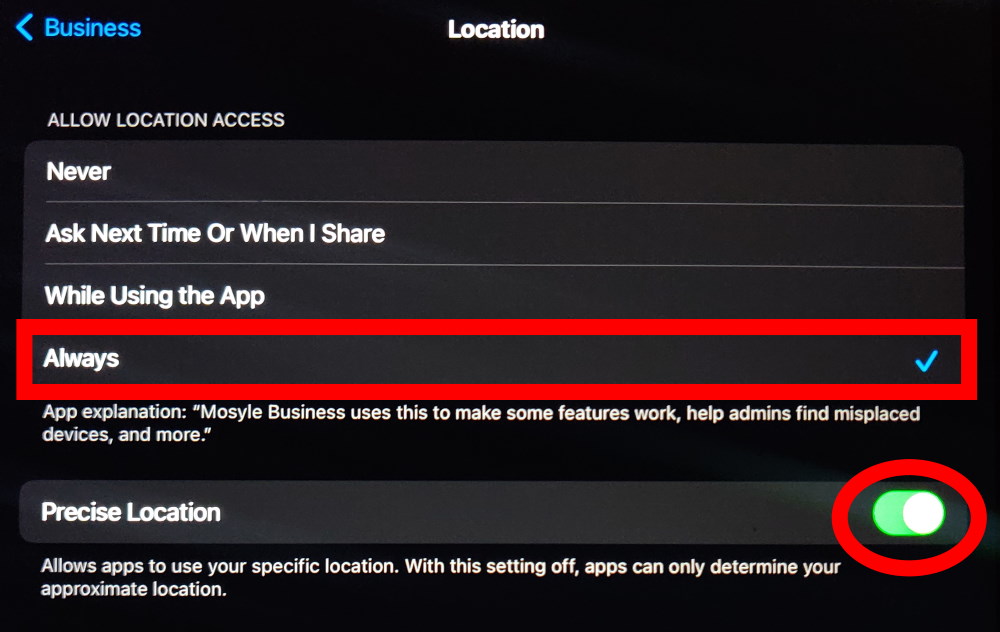
This will ensure the tablet is reporting back with the most current, and correct, information to our tablet management software.
If you require any assistance, please submit an IT ticket and we will help you out.