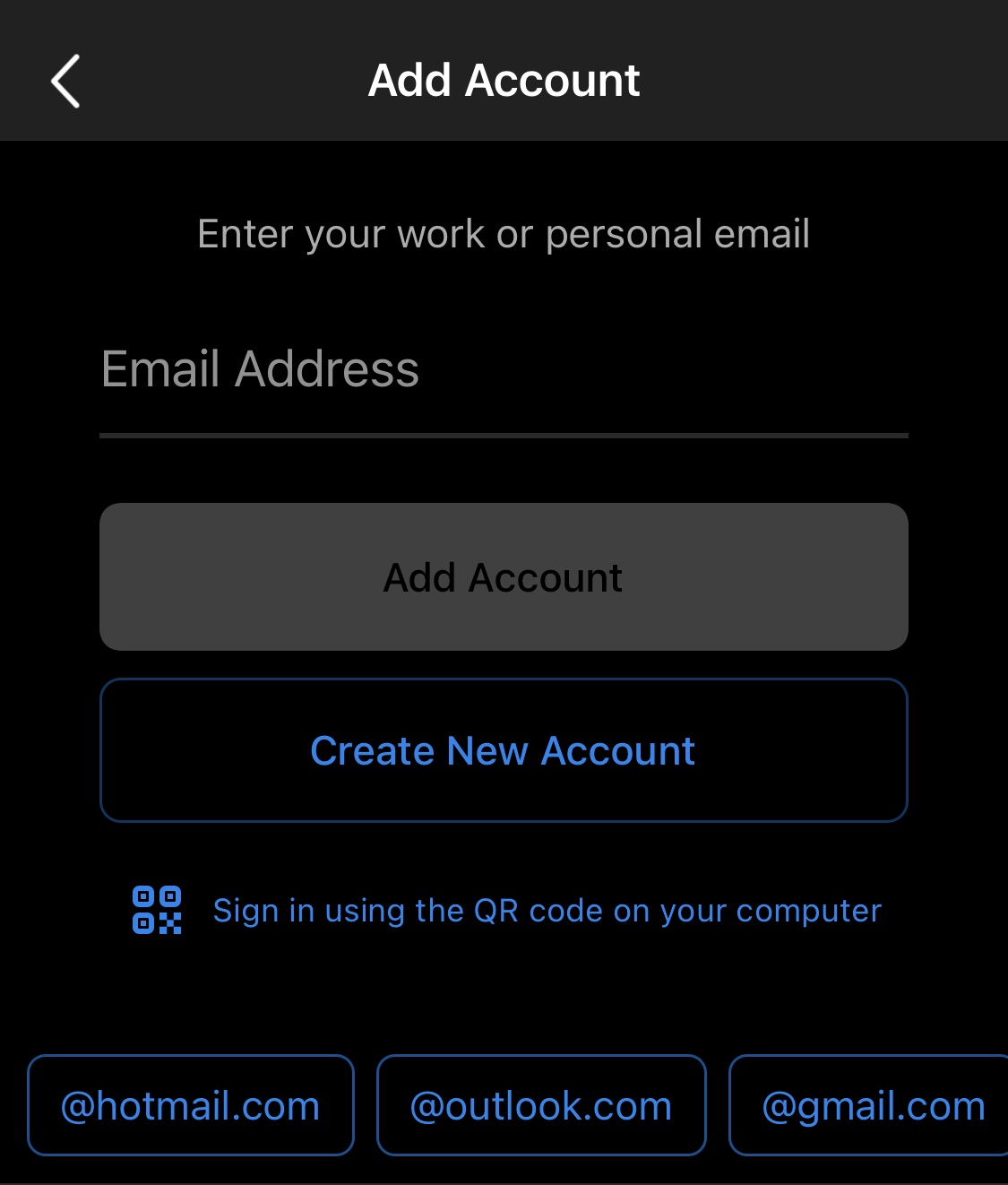
At the Add Account prompt, type in the location's pre/post scan email address & tap Add Account button:
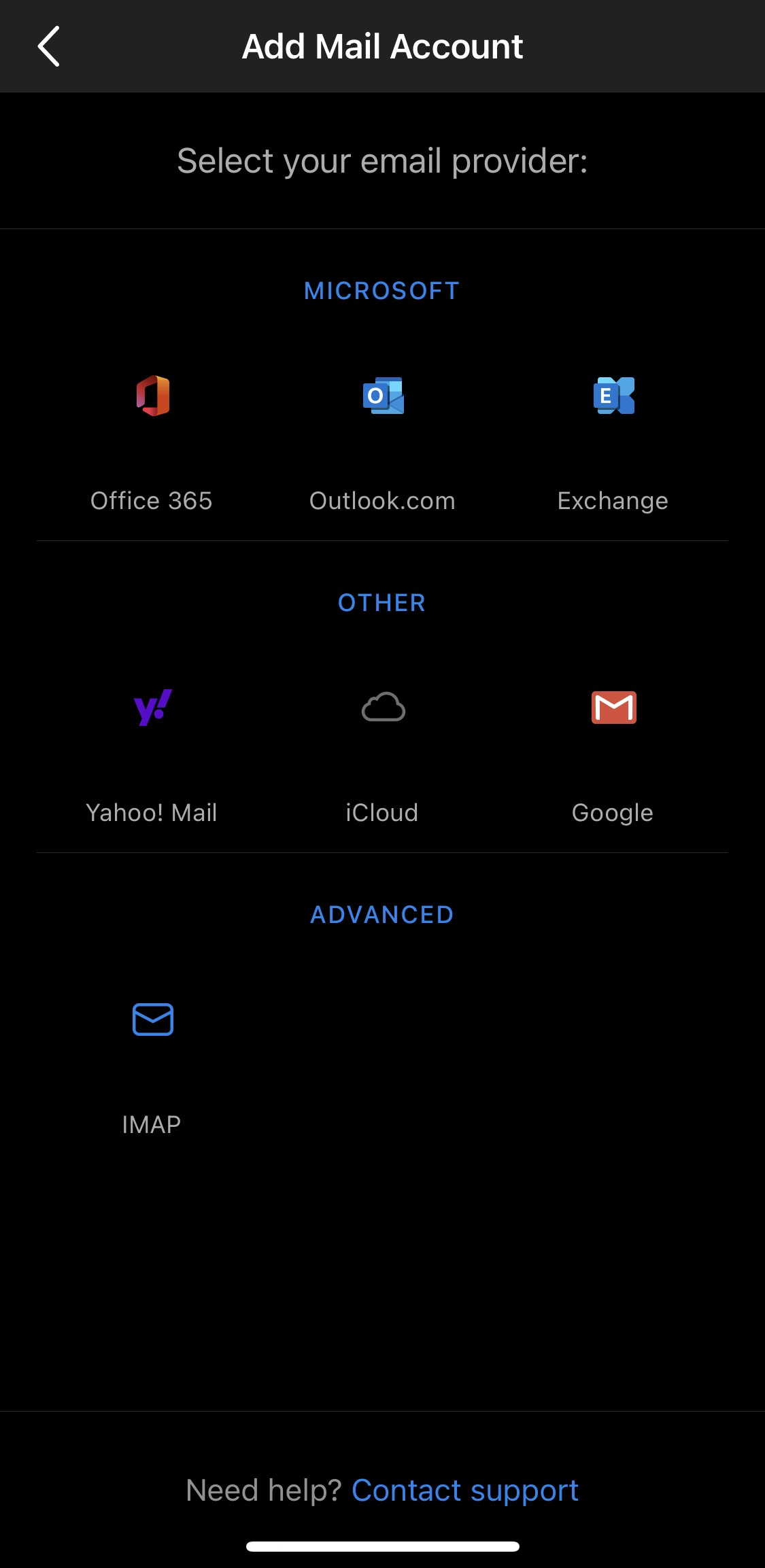
Under Advanced, select IMAP as the email provider:
Scroll down & ensure 'Use Advanced Settings' is enabled:
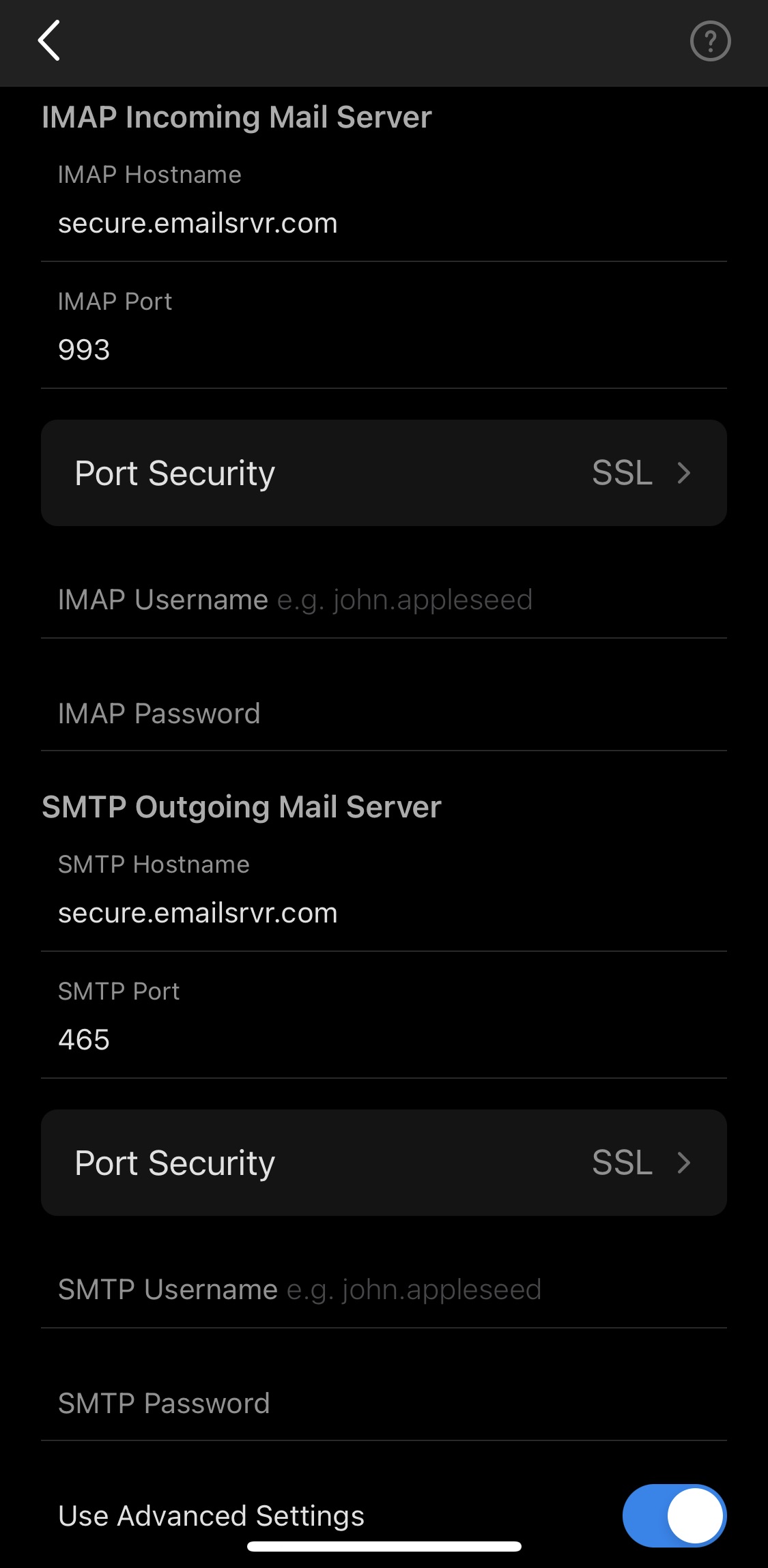
Enter the following information (if a field is not listed, it can be left blank/with the default value):
- Email Address: <your location's pre/post scan email address (e.g. airdrie.scans@fixauto.com)>
- IMAP Hostname: secure.emailsrvr.com
- IMAP Port: 993
- Port Security: SSL
- IMAP Username: <your location's pre/post scan email address (e.g. airdrie.scans@fixauto.com)>
- IMAP Password: ******** (please request from Davis IT)
- SMTP Hostname: secure.emailsrvr.com
- SMTP Port: 465
- Port Security: SSL
- SMTP Username: <your location's pre/post scan email address (e.g. airdrie.scans@fixauto.com)>
- SMTP Password: ******** (please request from Davis IT)